I apologize for the delay. However, I assure you all that I have been hard at work learning Unity – as I was quite rusty at using it, even after college. However, I have now created a terrain, textured it with textures I created in Adobe Photoshop and even managed to get a car moving – though at this stage most of it is the prefab that Unity bundles with the engine.
Below is my scene, as it appears. The track for the game is a simple oval, circling a small lake that I created, surrounded by mountains. I got the lake simply by raising the entire terrain by a little bit, then simply lowering the parts that I wanted to have filled with water. I then added a water effect which was bundled with unity and it gives the scene a nice feeling. I may, however adjust the surrounding mountains as I dislike how sharp and angular they are in their current state.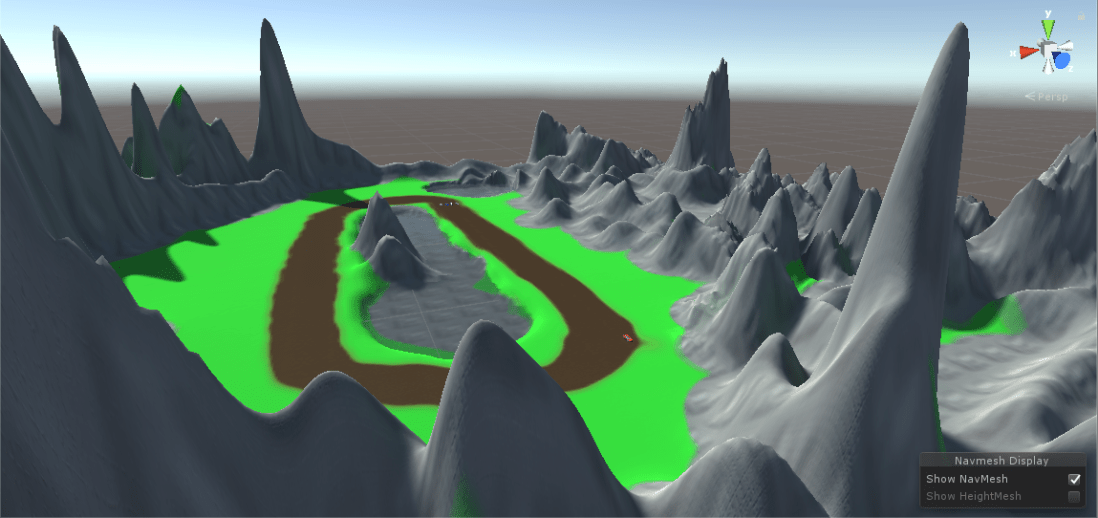
Another thing I added were the models that I am going to use for the player car and their opponents. I also added a unity prefab car, and discovered that the default controller works well, but needs heavy tweaking as the handling is very slippery, as shown in this video.
I dislike how slippery the current car feels, so I’ll be adjusting the code myself in order to make the game play better – not to mention removing the standard model and inserting one of the ones I got from the asset store.
On top of this next time I will have a simple AI Car which will follow waypoints around the map in order to complete a circuit, before adding more complex scripts which will supplement it’s behaviour by overtaking the player, or even slow down if it’s too far ahead of the player.
See you next time!

 Gethin's house of game development